
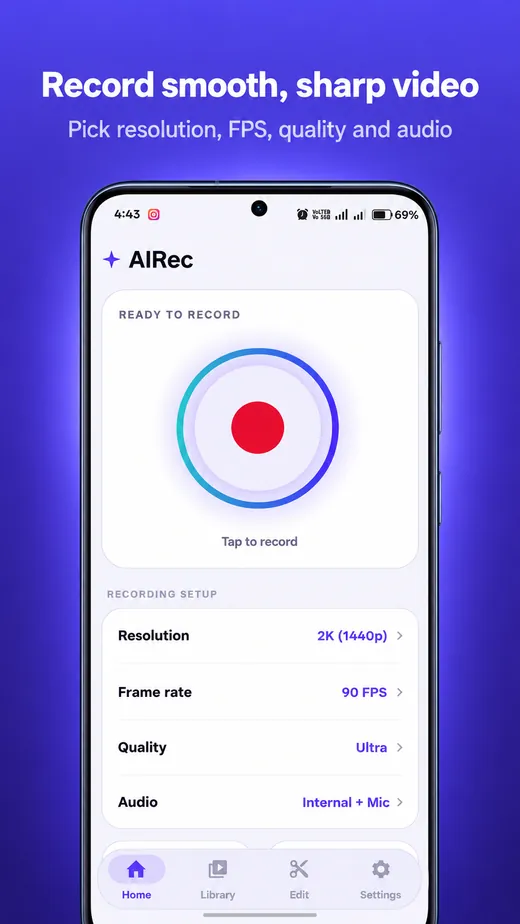
Record smooth, sharp video
Pick a resolution from 480p up to 2880p and a frame rate from 24 to 120 fps, as far as your phone supports. Auto chooses the smoothest setting for you.
Learn more →AIRec is a clean, fast Android screen recorder with AI noise reduction, a floating control ball, a built-in editor and a performance report. No ads, no watermark and no internet needed.
*Depends on your phone’s screen and video encoder. AIRec shows only what your phone can do.
Simple on the surface, careful underneath. Every feature is explained in detail on the features page.
Pick a resolution from 480p up to 2880p and a frame rate from 24 to 120 fps, as far as your phone supports. Auto chooses the smoothest setting for you.
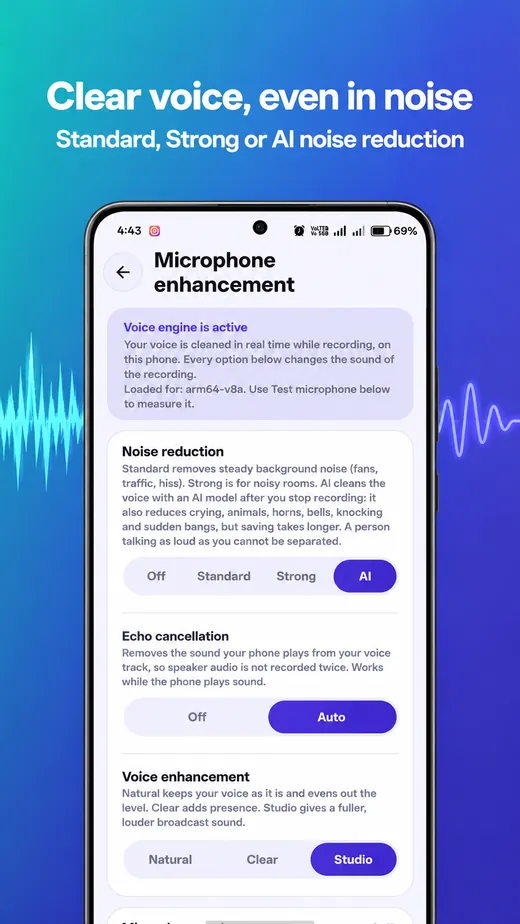
Learn more →Standard and Strong noise reduction work live. AI mode cleans your voice after you stop and also tames crying, animals, horns and sudden bangs.
Learn more →Record the sound your phone plays, your voice or both. Smart ducking turns the music down while you speak.
Learn more →Pause, stop, take a screenshot or draw on screen from anywhere. Shake your phone to stop.
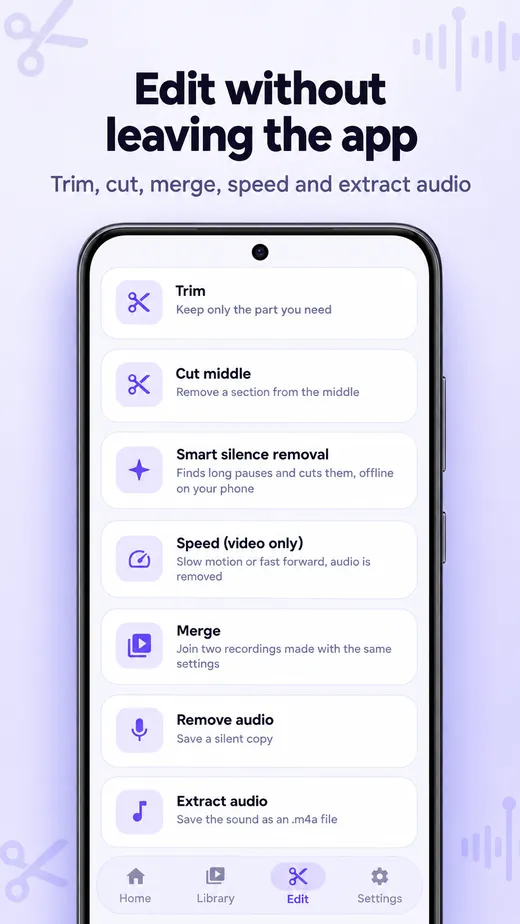
Learn more →Trim, cut, merge, change speed, remove or extract audio and cut silence. Your original is never changed.
Learn more →After every recording see the real frame rate, phone temperature, battery used and how much AIRec itself needed.
Learn more →Noisy room? Fan, traffic, a crying baby? AIRec gives you three levels of noise reduction and a separate echo control, all running on your device.
Honest limit: no filter can separate someone who talks as loudly as you. Saving takes longer in AI mode.
Not an audio sample. Use “Test microphone” in the app to hear the real difference on your own voice.
Pick the settings that fit what you record. Here is a good starting point for each.
Smooth gameplay with sound and your voice.
Clear lessons that are easy to follow.
Demos, reviews and walkthroughs, ready to share.
Tap any screenshot to enlarge it.


On the Home screen choose resolution, frame rate, quality and audio. Auto picks the best values for your phone.
Tap the red button, allow Android’s screen-capture question and use the floating ball, the notification or a shake to control it.
A window over any app lets you Play, Share, Edit or Delete the new video. Everything is already in your gallery.
AIRec works fully offline. We do not collect your recordings, voice or screen content.
AIRec is free to install. It has no ads, no account and no watermark on your videos.
Yes, on Android 10 or newer. Some apps block their sound from being recorded; this is Android’s rule and AIRec tells you when it happens. You can always add your microphone instead.
No. Recording, AI voice cleaning and editing all run on your phone, and the app does not request internet access.
The video is encoded by your phone’s dedicated video hardware, but any screen recorder adds some load. Start with 1080p and Auto frame rate, and use AIRec’s performance report to see the real effect on your phone.
Install AIRec and make your first clear, clean screen recording in a minute.
GET IT ONGoogle PlayFound a problem? Tell us about it.